
Membership websites · Integrations
We connect your membership website to the CRM you already use.
When your website and your CRM keep separate member records, your team ends up copying changes from one to the other, and members can see details that are out of date. MemberWeb reads from and writes to your CRM, so each member has one account and your team works from one set of records. If you are choosing a new CRM, tell us which systems are on your shortlist, and we will tell you in writing what each one means for your website and your monthly fee before you commit.
How an integration works
How your website and your CRM work together.
Your CRM holds the member record
Membership status, grade, renewal date and contact details are held in your CRM. The website doesn’t keep its own copy, so there is no second copy to fall out of date.
The website checks the CRM at sign-in
When a member signs in, MemberWeb checks their record in the CRM and shows the content, prices and portal pages that apply to them. The check happens at that moment, so there is no overnight sync to wait for.
Changes go back to the CRM
Joins, renewals, bookings and profile changes are written back to the CRM as they happen. Each one is logged, so your team can see what was sent if a record looks wrong.
Membership CRMs
The membership CRMs we work with most.
These are the CRMs our clients use most. We connect to other CRMs as well, through their APIs.
-

HubSpot Member profiles, lifecycle stages and marketing workflows, synced with the member portal. -

Zoho Membership records, invoices and renewals, across Zoho CRM and Zoho Books. -

Dynamics 365 Membership records in Dataverse, including grades, branches and committee data. -

Salesforce Contact and account records, with each member’s membership type and renewal date. -

Oomi Member records and self-service workflows, used by BPCA, BIRA and the National Association of Jewellers. -

Eudonet Contacts, memberships and renewals in Eudonet, formerly OMNET. -

YourMembership Member profiles, membership types and renewals.
Learning, community and finance
Other systems we connect to your website.
We also connect the finance, payment and email systems you use, such as Xero, Sage and Mailchimp. Tell us what you use, and we will check whether we have connected to it before.
-

Discourse A members-only forum, hosted by us, with single sign-on from your website. -

Moodle Online courses and CPD content, behind the member sign-in.
Your integration
Tell us about your integration.
Name the system and your key business operations, and we will tell you if we can connect to it and how your processes will be implemented.
Case study
BPCA kept its website when it changed CRM.
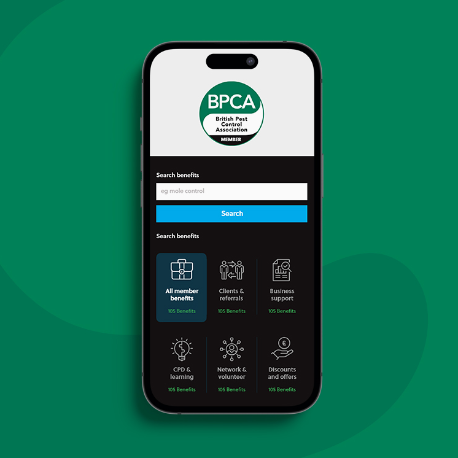
BPCA moved their CRM to Oomi. We rebuilt their website integration for Oomi and added almost a dozen self-service workflows to the member portal, for tasks such as joining, renewing, updating details, booking events and recording CPD. Members kept the website they already knew, and tasks that BPCA’s staff used to handle are now done by members in the portal.
Questions
Questions about integrations
What if our CRM isn’t listed?
If it has a documented API, we have probably connected to a similar system before. Tell us which CRM you use, and we will tell you within two working days how we would connect to it.
Do changes sync overnight?
No. When a member signs in, MemberWeb checks their record in the CRM at that moment. Joins, renewals and bookings are written back to the CRM as they happen, and each one is logged.
We are moving to a new CRM. Can you connect to it before it goes live?
Yes. We build the integration against the new CRM’s test environment and switch the website over when you move.
What does an integration cost?
Your CRM integration is included in your monthly fee, and we maintain it through every upgrade. Extra integrations are priced as a fixed monthly amount, with no build fee.
Free discovery call
See whether we are the right fit for your organisation.
In one 30-minute call, one of our solution consultants will look at your current website and CRM with you and tell you whether MemberWeb is a good fit. If it isn’t, we will say so and suggest what would suit you better. Afterwards, we send you a short written Platform Review within two working days. We only send a proposal if you ask for one.
Pick a time that suits you
The booking page explains what we will cover and who you will speak to.
You can also request a call back or email hello@senior.co.uk.